48 Million Gmail Passwords Exposed in Massive Malware Data Leak: See What Google Said on Previous Breach

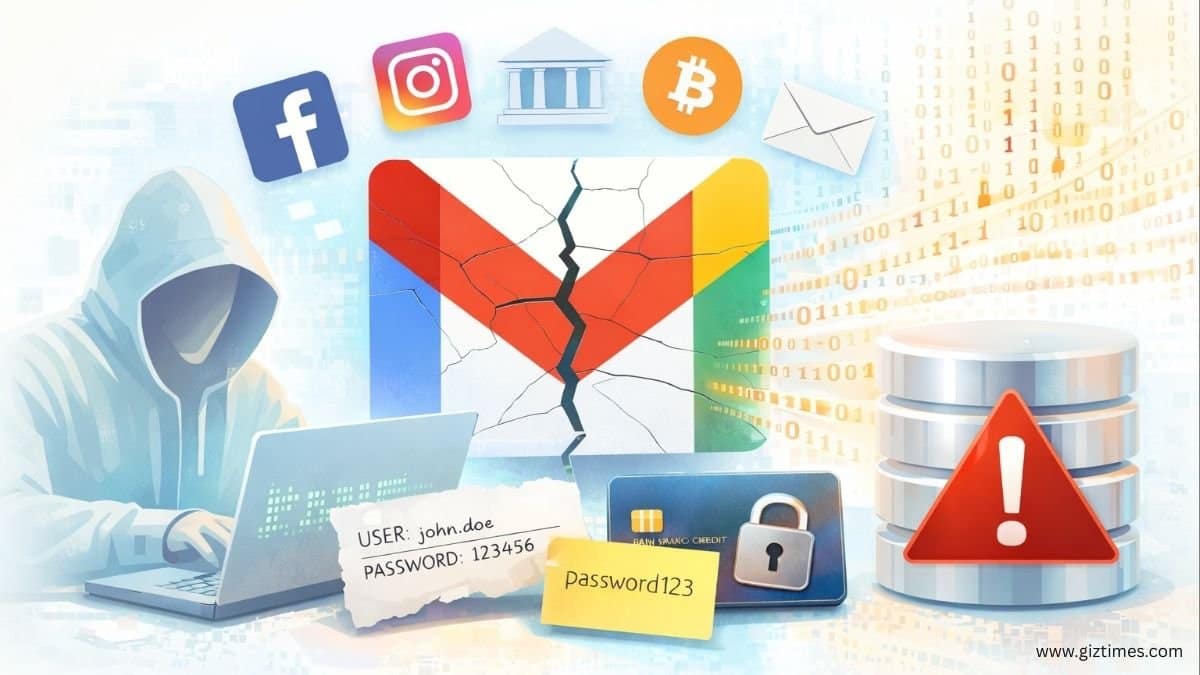
Around 48 million Gmail usernames and passwords were exposed after cybersecurity researcher Jeremiah Fowler found a large database of stolen login details online. The database held about 149 million login records and nearly 96 GB of data, stored without encryption or password protection. Anyone who discovered the server could access the information. The leak did not come from Google or other companies being hacked. Instead, the data was taken from individual users’ devices that were infected with malware.
Gmail accounts formed the biggest share of the exposed data, but many other services were affected. Infostealer malware stole login details for 17 million Facebook accounts and 6.5 million Instagram accounts. It also include millions of usernames and passwords from services like Netflix, Yahoo, Outlook, and TikTok. Some data came from government email addresses and financial services, including crypto platforms, which seems to be much more dangerous because it can cause financial loss and Government data loss.
Security experts say this malware sneaks onto devices and secretly collects login info.This type of malware secretly runs on infected computers and steals saved passwords, records keystrokes, and captures browser autofill data. The stolen information is then sent to servers controlled by attackers. In this case, the server collecting the data was left open on the internet.
After discovering the exposed database, Fowler reported it to the hosting provider. However, reports indicate it took almost a month for the server to be taken down. During that time, the database continued to grow as more infected devices sent in new stolen data, raising the chances that the information was copied by others.
Experts warn that simply changing passwords may not be enough if a device is still infected.
If malware stays on your device, it steals new passwords right when you type them. Attackers can use this leaked data from many account types for identity theft or to test stolen passwords on different websites. To stay safe, scan your devices with good antivirus software. Remove any malware first, then change your passwords.
Turning on two-factor authentication or biometric login can block access even if a password is stolen. Using a password manager can also help, as it fills in encrypted passwords automatically instead of requiring manual typing.
See What Google Said about the Previous Breach
By a series of tweets from “News from Google“, Google has said that Gmail was not hacked, and there is no evidence that its systems were breached in the recent large data leaks. According to the company, claims about a Gmail breach are based on confusion about how stolen login data is collected.
Reports of a “Gmail security breach impacting millions of users” are false. Gmail’s defenses are strong, and users remain protected. 🧵👇
— News from Google (@NewsFromGoogle) October 27, 2025
Google explained that the leaked usernames and passwords did not come from a direct attack on Gmail. Instead, they were stolen over time by malware on infected devices and then combined into large lists by cybercriminals.
The inaccurate reports are stemming from a misunderstanding of infostealer databases, which routinely compile various credential theft activity occurring across the web. It’s not reflective of a new attack aimed at any one person, tool, or platform.
— News from Google (@NewsFromGoogle) October 27, 2025
These credential lists are created using different illegal methods across many years, not from one security failure at Google. Gmail’s servers and internal systems were not compromised.
Users can protect themselves from credential theft by turning on 2-step verification and adopting passkeys as a stronger and safer alternative to passwords, and resetting passwords when they are found in large batches like this. https://t.co/J6OUu07IQl
— News from Google (@NewsFromGoogle) October 27, 2025
Google also said it actively monitors the internet for leaked credentials. If user information is found in such dumps, Google can take action—such as forcing a password reset or warning affected users—to help keep accounts secure.
Gmail takes action when we spot large batches of open credentials, helping users reset passwords and resecure accounts.
— News from Google (@NewsFromGoogle) October 27, 2025
Google’s Guidelines or Advices to Secure Your Account
Google recommends enabling 2-Step Verification (2FA), that provide extra protection to your account. This feature ensures that no one can sign in using only your password.
Google also advises using passkeys instead of traditional passwords. Passkeys rely on your fingerprint, face recognition, or device PIN, which makes them much harder to steal or guess.
You can use Google Password Manager to create strong, unique passwords and store them securely, helping you avoid password reuse.
Turn on password breach alerts so Google will alert you whenever your credentials appear to be in a data breach and guide you through securing your account.
Run Google Security Checkup in regular basis to review your account activity, connected apps, and devices, and receive personalized safety recommendations. Avoid access from unused or untrusted third-party apps.
Enroll in Google’s Advanced Protection Program, if you are facing high security risks, which uses passkeys or hardware security keys and blocks unsafe apps and downloads.
You can visit Google’s official pages linked below where you will get more detailed information regarding securing accounts.