

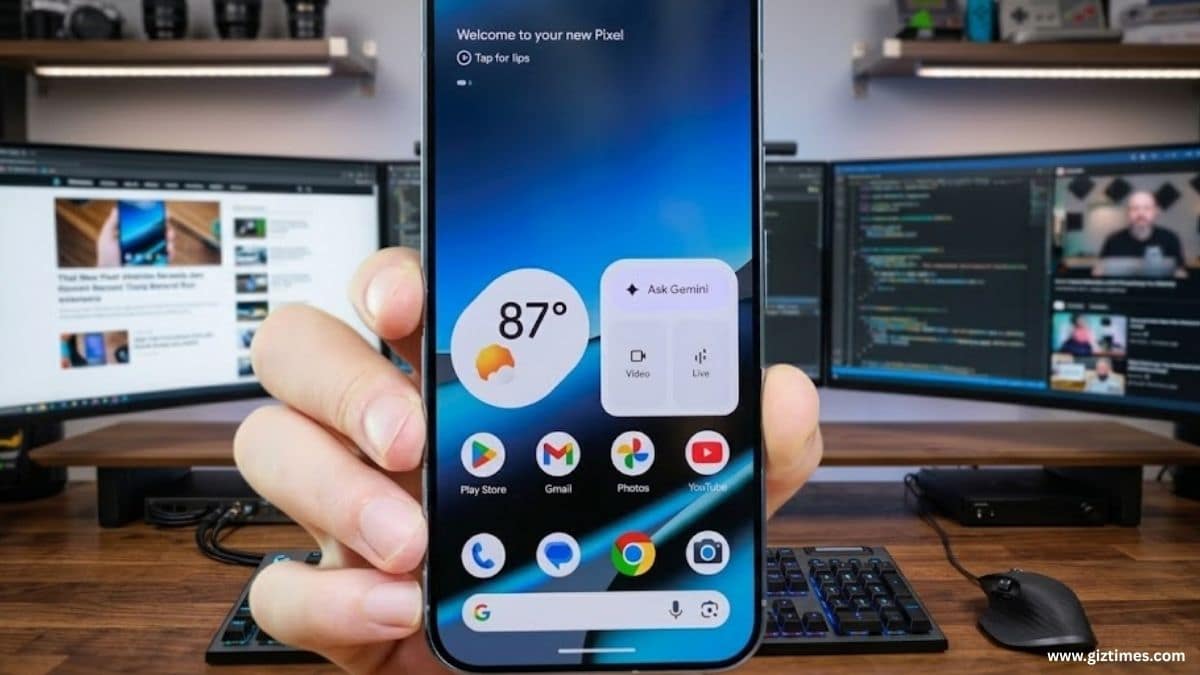
HYDERABAD, India (GizTimes) —Google is catching up to Samsung on home screens. A new organizer tool showed up in Android 17 Beta 3. It lets Pixel phone users add, remove, or move whole home screen pages from one spot. This could make setting up your phone way easier for millions.
The tool is not ready yet. Android Authority found it by checking the code. When you add a new home screen, it might fill it automatically with apps and widgets. Categories include Most Used, Games, Health & Fitness, Work, Travel, and Social apps. It uses data from Google Play to pick the right ones. You can choose how they look. Screenshots look rough with fake blue circles and pink boxes instead of real icons. It won’t come soon, and the name might change. But it could arrive with the full Android 17 this year.
Pixel users wanted this for a long time. The Pixel home screen felt stiff next to others. Samsung’s One UI has let you manage pages easily for years. iOS 18 added better options, too. On Pixels, you had to drag icons one by one or clear pages by hand. That’s slow if you like things neat.
Android 17 is changing it, and Beta 3 already lets you hide app names and remove the At a Glance box at the top. Nice fixes. The organizer is the big win. It lets you make a full page for work apps or games in seconds. The writer loves it. Hiding names and removing that box helped right away. For people who like simple Android but want more choices, this shows Google cares. It might come in Android 17 or later.
But it’s not new. Samsung and apps like Nova did this long ago. The writer wants one more thing: the option to hide the search bar at the bottom. Home screen setup matters a lot on Android. Pixels keep it clean and basic. But that meant less control before. This tool fixes that without making it messy. It uses Google Play to suggest good setups. Picture a games page ready with scores and controls in one tap. Or a travel page with maps and apps. Smart and simple.
Old Pixels made changes hard. You had to move icons slowly or start over. Bad for gamers with games like Mario Kart or Tomb Raider, or workers with many tools. These beta updates mean more freedom soon.
Android 17 Beta 3 came out lately with fixes and this secret feature. Full version might hit later in 2026 with new Pixels like 11 or 12. It needs polish: better icons, categories, maybe a new name. Play Store makes it personal over time.
Samsung already made it easy for users to customize their home screens. Now, Apple has improved a lot, too, especially with smoother widget movement. Google Pixel phones were a bit behind earlier, but they are now catching up quickly. You can now hide app names, remove boxes, and even organize full pages better.
The announcement received mostly positive and thoughtful reactions on Twitter, with users focusing on multitasking features.
One user said the update seems helpful for moving easily between different apps, showing that it could improve everyday use.
Another user guessed that the feature is likely “app bubbles” for multitasking and said they like the idea, indicating approval of the design.
Meanwhile, a third user explained that the feature is mainly meant to make multitasking easier on tablets but appreciated that it is also available on phones, adding that the animations look very smooth and enjoyable.
It says these are small changes, but they made things faster and easier to use. The new Organizer feature also gives more control, making the overall experience better. But Google is following, not leading. Biggest complaint: fixed search bar. Make it go away if Google means it.
In India, where people love Pixels vs Samsung phones or foldables, this helps. Easy for beginners to sort apps. Great for fans to tweak. With other Android 17 goodies, Pixels stay the best pure Android choice.
Keep an eye on betas. Your better home screen is coming soon.
